The Silent Wall
Not all bot defense is a visible challenge. A huge amount of it happens silently, at the transport layer, before any page or challenge loads. You either clear the bar, or you get an Access Denied with no invisible JS/interactive challenge to solve. This post will walk through the signals that live under the app layer, and why a naive automator trips them.
Two kinds of block
I first want to discuss two different Cloudflare challenges. The first one, and the one this post will focus on, is the silent bot management. I've experienced this block a lot, and it's quite vague. It simply says "Sorry, you have been blocked".
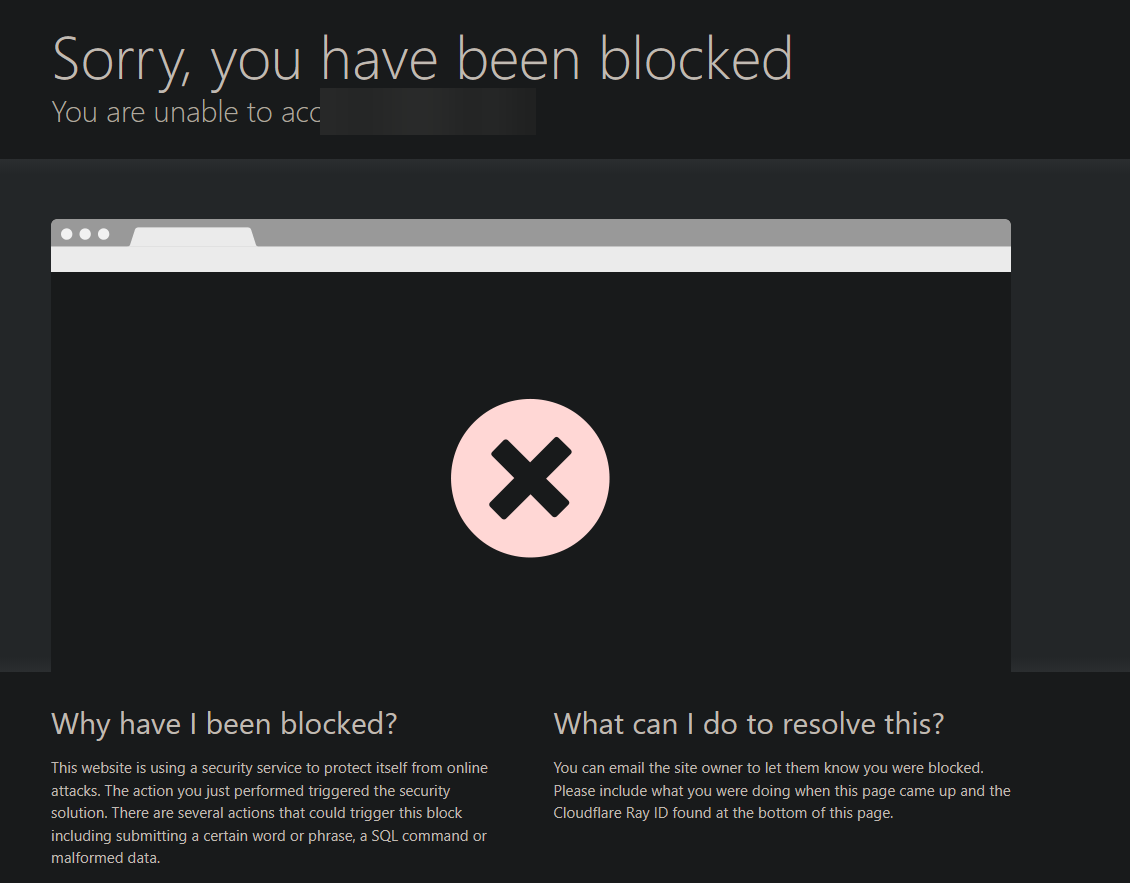
We'll be delving more into this specific block type throughout the post. The next challenge I've seen a lot recently is the Managed Challenge.
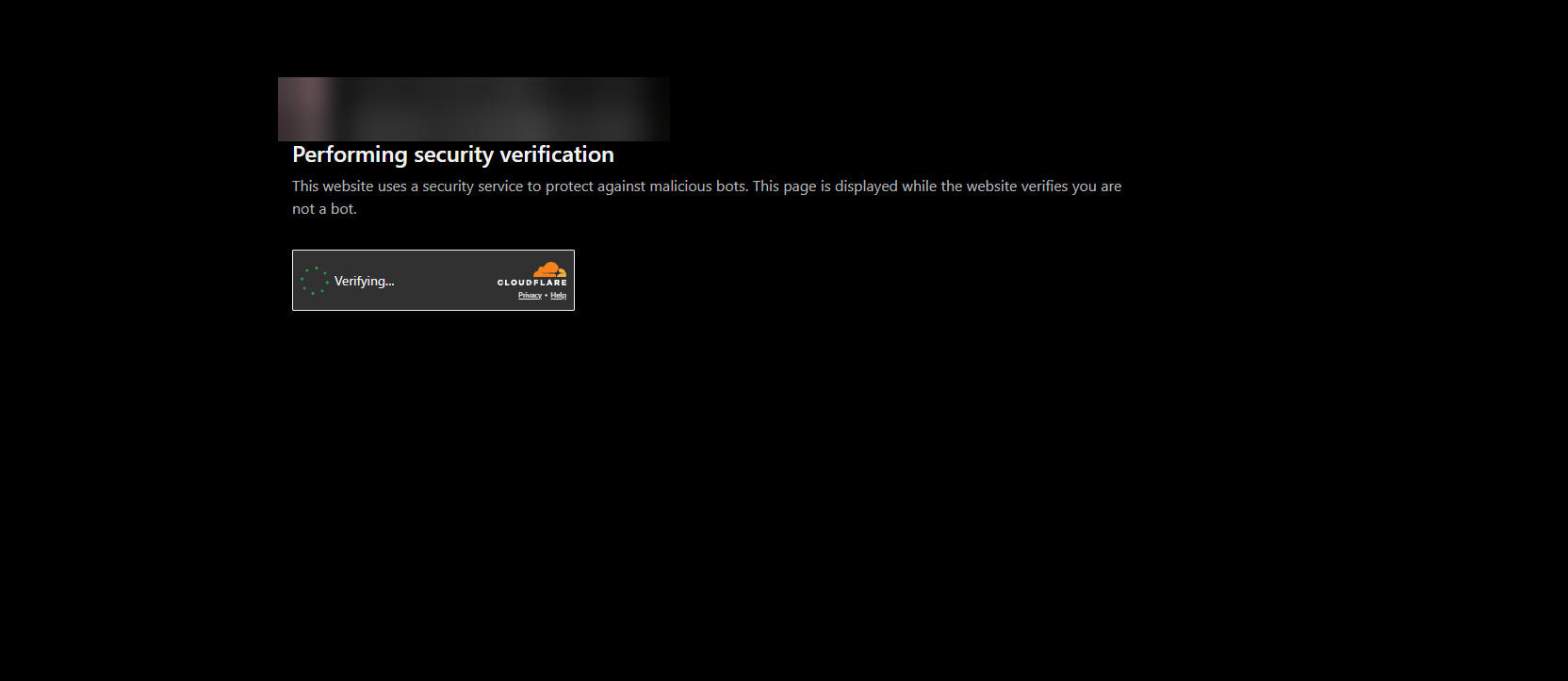
I haven't delved too deep into this one. I'm unsure of what sort of signals they use for Turnstile, but I do know this challenge incorporates everything in the silent bot challenge, plus Cloudflare's Turnstile, and returns a cf_clearance cookie tied to JA3/JA4, IP, user-agent, client hint clusters, etc., which is used on subsequent requests on the website.
If you've scraped a website with Cloudflare before at an HTTP level, and at scale, there's no doubt you've been blocked at least once by CF's silent bot management. When I first started learning about web scraping, I was blocked by this vague "you have been blocked" a lot, sometimes continuously even with a residential IP. One reason why a residential IP alone isn't enough to get you past it is because of transport layer security (TLS), and today we'll be discussing how Cloudflare uses TLS as a signal among many others to decide whether to block a request or not.
A brief look at TLS
Cloudflare’s bot detection considers many signals together, including TLS fingerprints such as JA3/JA4, HTTP/2 fingerprints, IP reputation, location, ASN, and the structure of HTTP headers. TLS fingerprinting is one part of that picture, so before getting into it, we need a brief understanding of TLS itself.
Transport Layer Security (TLS) is a cryptographic protocol that protects data in transit. When a client establishes an HTTPS connection with a server, they perform a TLS handshake to agree on how that connection will be secured. In a typical handshake, they:
- Negotiate a supported TLS version, such as TLS 1.2 or TLS 1.3.
- Select a cipher suite defining the cryptographic algorithms used to protect the connection.
- Allow the client to verify the server’s identity using its certificate.
- Derive the keys used to encrypt and authenticate the data exchanged over the connection.
For this post, we’re interested in how the client begins that handshake. Its opening message, the ClientHello, advertises its supported TLS versions, cipher suites, and extensions. Those extensions carry additional information, such as supported cryptographic groups and application protocols. The way different clients construct this message provides the basis for TLS fingerprinting.
Different browsers and HTTP libraries don't necessarily construct this message in the same way. Their TLS implementations and configurations affect what they advertise and how they arrange it. These differences give the server a way to recognize patterns associated with particular client stacks, which is where TLS fingerprinting comes in.
JA3 and JA4
JA3 and JA4 turn selected properties of the ClientHello into fingerprints that can help classify clients. These aren't unique identifiers for individual users, nor does each browser have one permanent fingerprint. Different clients can share a fingerprint, and changes to versions or configuration can change it. JA3 collects the decimal values for five key fields: TLS version, cipher suites, extensions, elliptic curves, and elliptic curve point formats (excluding Google GREASE values), and MD5 hashes them. JA4 is similar; it takes the TLS version, transport protocol (TCP = t, QUIC = q), cipher count, the cipher list (hashed, alphabetically sorted), extension count, extension list (hashed, alphabetically sorted), ALPN (such as HTTP/2 or H/1.1) and signature algorithms.
Who actually decides the 403
What actually decides a 403 response code for Cloudflare's silent bot manager is the site owner's rules ("block if bot score < N" / "block known bot JA3" / "block if IP is not in the USA"); it's not CF auto magic. Each HTTP client has their own TLS fingerprint, Go's net/http, fasthttp, Python's requests, etc. There are plenty of TLS clients available on GitHub that attempt to spoof the JA3/JA4 to match known browser stacks. One I actually use daily is BogdanFinn's TLS Client it's open source and it allows you to create your own TLS profiles. I also use Peet’s TLS fingerprinting API for creating these profiles. However, a lot of the time the presets that these tls-clients have aren't exactly 1:1, and they've been burned significantly throughout time. This brings me to the main point of the post. A real capture of your TLS fingerprint on a site/app will always beat the preset when it's done right, and replicated byte for byte. It's the one fingerprint a defender structurally cannot ban without false-positiving real users, which is exactly what they do not want.
The signals below TLS
Now we've got the TLS part sorted out, and we understand the basics of TLS fingerprinting, I now want to go to the signals below TLS. The ClientHello is one signal, but there's many other signals the naive automator may glance over. A big one that is used as a signal in modern anti-bots is the HTTP/2 fingerprint (Akamai Fingerprint). HTTP/2 consists of SETTINGS frame values, WINDOW_UPDATE, header-table size, and the pseudo-header order and priority. Library defaults (Go's net/http, Python's requests, etc.) do not match a real browser's H2 layer even when the ClientHello layer is matched.
Header order and casing
HTTP header order and casing is also another signal. Real browsers emit headers in a stable, specific order and casing. Automation libraries reorder/normalize them, which causes them to differ from a real browser stack. Sometimes the naive attacker simply will copy them directly from the Chrome network tab, which most of the time Chrome normalizes the header order in the request headers section, and does not persist the real header order the client sent to the server. With casing, HTTP/2 header names must be sent lowercase, whereas HTTP/1.1 is case-insensitive. Chrome also keeps the header casing as uppercase despite being an HTTP/2 connection in the devtools network tab:
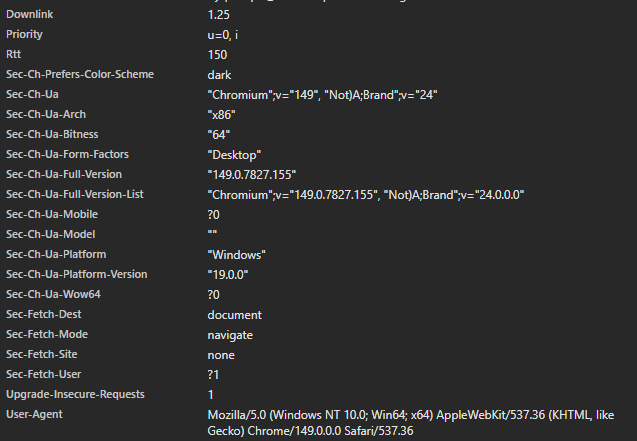
This request was using the HTTP/2 version, and as you can see the headers have uppercase despite HTTP/2 requiring lowercase. The DevTools is lying to you. HTTP/2 forbids uppercase field names. Not only that, the header order is wrong because Chrome sorts them alphabetically. In order to show the real bytes you'd need a proxy that displays HPACK-decoded wire order. You can use Wireshark with a TLS keylog, which is a sniffer, or use an HTTP debugger like Charles or Burp Suite for headers. Another bit I've experienced myself, if you use Charles, it changes the ClientHello, so if you're planning to create your own TLS profile, do not keep one of these HTTP debuggers active. You can disable SSL proxying to use the client's connection, and that will persist the real ClientHello, but you won't be able to see the outgoing traffic because it's encrypted with TLS. Charles/Burp allow you to get the true header casing and pseudo-header order but will change the ClientHello; Wireshark is passive and faithful.
Client hints
Client-hint cluster consistency is also a signal. The Sec-CH-UA* set must be internally consistent, and must be consistent with the UA and the TLS/H2 layers. A mismatched set or missing client-hint clusters is a signal. Chromium-based browsers send these client-hint clusters, but Firefox does not send client hint clusters and simply sends the user-agent header. Given this, anti-bots have to rely more heavily on other signals when a client uses Firefox.
The Accept-* headers
Another signal is the Accept-* headers. These are Accept, Accept-Language, Accept-Encoding, and they have to match the claimed browser/version. From my experience, anti-bots tend to have a lower risk tolerance for the en-US,en;q=0.9 Accept-Language because it is the most common header sent from automation suites. I've also seen fingerprinting services look for Accept-Language coherence with the claimed IP, though this is a weak signal.
The kicker: mutual TLS
Now here's the kicker. You can have all of these signals consistent. ClientHello matched, HTTP/2 settings exact, matching header order, etc., and still be 403'd by Cloudflare's silent bot manager. I've experienced this firsthand and I debugged for hours, couldn't figure out where I was going wrong. Then I learned about mutual TLS (mTLS).
As we discussed, typically in TLS the server has a TLS certificate and a public/private key pair, while the client doesn't. In mTLS, both the client and the server have a certificate. After the client verifies the server's certificate, the client presents its own TLS certificate that the server verifies. The client must prove that it holds the private key. Without it, no amount of fingerprint matching will get you past that 403. Though this doesn't mean that if you have said private key you don't need to fingerprint match; you do, otherwise you'll be blocked too. Cloudflare enforces it via a firewall rule on cf.tls_client_auth.cert_verified: missing/invalid client cert, that becomes false and you're served a 403. That's why it's a clean 403, not a raw handshake abort, not a JS challenge to solve, and also why the fingerprint is irrelevant at that point.
The app that I wanted to scrape, which was using mTLS, had a cert and private key that were shared across all installs, and that's exactly why extracting one lets you replay. The certificate isn't the real defense; it's how well the cert and key are hidden in the binary. If a defender can't hide the cert and key meaningfully, there really isn't a point in adding it. Theoretically you could have a per-installation mTLS client certificate, which would be incredible for rate-limiting, but being able to decide who actually gets a certificate becomes the hard part, and that's typically why most servers that use mTLS share one across all users for bot defense.
The whole game
The invisible wall before any challenge has two flavours. Passive, which is the fingerprint and reputation scoring; then there's active, which is the client-cert authentication. Both of them gate at the transport layer. The thing a naive automator can't fake, and the thing a defender can't ban without false-positiving real users, is coherence across every layer of a real client's stack, and the active wall is beaten only by holding the key. That's the whole game below the app layer. I enjoyed making this post, and I genuinely hope you learned something new. Stay tuned for the next post.